Time to fill her up.
|
|||||||||
 |
|||||||||
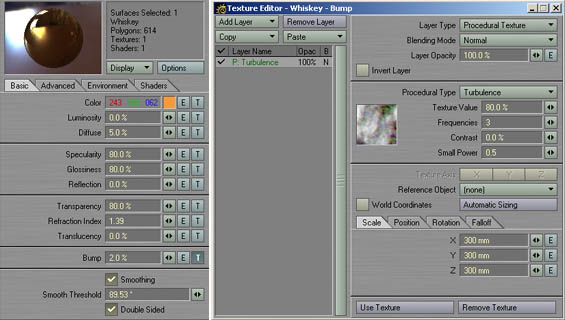
Above you can see the details of the whiskey surface, including the Base Tab and the bump texture.
Again we'll use Color Highlights and Color Filter, that's even more crucial when we render with Caustics
turned on, because they should appear
tinted orangeish by this glorious liquid. Set Color Highlights to 70% and Color Filter to 100%.
Of course you can also add air surfaces, but I didn't. Instead I made the whiskey a doublesided material. Now that the model is completely textured, the only things left to do is to fire up Layout, set up a backdrop and some lights, and hit F9. |
| previous | next |